
Bluehost Review 2026: Complete Guide to Features, Pricing, and Performance
 Habibur Rahman
A passionate SEO professional with 8+ years of experience helping businesses grow their online presence.
Picking the right web hosting can make or break your website. A slow host kills traffic. Downtime kills trust. Bad support kills your time and money. That is why millions of site owners search for one name again and again —Bluehost.
Bluehost is one of the most searched hosting companies on Google and the official hosting partner recommended by WordPress. Big promise. Big reputation. Big marketing. But does it still deserve your money in 2026?
We ran real tests on Bluehost speed, uptime, support quality, pricing, and ease of use. We checked their new AI website tools. We measured server response times. We explored hidden costs. We tested their dashboard from a beginner’s point of view.
This is not a promo. This is a deep, hands-on Bluehost review built for real users who want fast loading, strong security, and simple website management.
If you plan to start a blog, business site, portfolio, or online store, this guide will show you exactly what Bluehost delivers — and where it falls short.
What is Bluehost?
Bluehost is a web hosting company that has been around for a long time. It was started in 2003, which makes it one of the oldest and most experienced companies in the market. Today, it is owned by a large company called Newfold Digital. They are a giant in the tech world.
One of the biggest reasons people choose Bluehost is because ofWordPress. WordPress is the software that powers most websites on the internet. Since 2005, WordPress.org has officially recommended Bluehost as one of the best places to host a WordPress site. This is a huge honor. It means the people who make WordPress trust Bluehost to take care of their users.
Currently, Bluehost powers over 2 million websites all over the world. That is a massive number of users. They are mostly known for being very beginner-friendly. Their target audience includes individuals building their first website, bloggers seeking to share their stories, small business owners seeking a professional online presence, and those starting online stores.
Bluehost Pricing and Plans
Price is usually the first thing people look at. Bluehost keeps things simple with four main plans for shared hosting. Shared hosting means your website shares a server with other websites. This is the most affordable way to get online.

Here is a detailed look at their pricing structure for 2026:
|
Plan Name |
Intro Price |
Renewal Price |
Key Features |
|
Basic |
$2.95/mo |
$1 0.99/mo |
1 Website, 1 0GB NVMe Storage, 1 00 concurrent visitors |
|
Choice Plus |
$5.45/mo |
$1 9.99/mo |
50 Websites, 50GB NVMe Storage, Daily Backups |
|
Online Store |
$9.95/mo |
$24.95/mo |
50 Websites, eCommerce tools, WooCommerce installed |
|
Pro |
$1 3.95/mo |
$28.99/mo |
1 00 Websites, 1 00GB Storage, Optimized CPU resources |
It is important to understandrenewal pricing. The low prices you see at first are "introductory offers." This means you pay $2.95 per month for your first term (usually 12 or 36 months).
When that term ends, the price goes up to the regular rate, which is $10.99 per month for the Basic plan. This is standard practice in the web hosting industry, but it is good to be aware of it.
Bluehost also offers a 30-day money-back guarantee. If you try their service and do not like it, you can cancel within the first 30 days and get a full refund of your hosting fees. This makes trying them out very low risk.
Start Your Website Today
Ready to build your dream site? You can lock in the special introductory price right now.
Get started with HostGator at a special discount hereKey Features Breakdown
Bluehost is not just about hosting; they give you a lot of tools to help you succeed. We analyzed the features included in their plans to see if they offer good value.
Essential Security and Speed
Every single plan comes with a Free SSL Certificate. This adds the little padlock icon next to your website URL in the browser. It keeps your visitors' data safe and is required for Google rankings.
You also get a Free CDN (Content Delivery Network) powered by Cloudflare. A CDN stores copies of your site on servers all over the world, so it loads faster for people far away from you.
Storage and Tech
Bluehost has upgraded their storage toNVMe SSDs. This is a newer, faster type of storage drive compared to older hard drives.
It helps your website files load much quicker. Even the cheapest plan gets 10GB of this fast storage, which is plenty for a new blog or small business site.
Website Building Tools
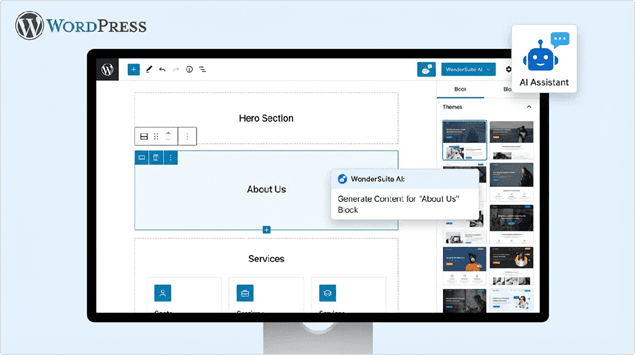
One of the best features is the WonderSuite. This is an AI-powered set of tools that helps you build a WordPress site. It guides you through the setup process, helps you write text, and picks designs for you. If you have never built a website before, this is a lifesaver.
Feature Comparison Table
|
Feature |
Basic Plan |
Choice Plus Plan |
Pro Plan |
|
Free Domain (1 st Year) |
✅ Yes |
✅ Yes |
✅ Yes |
|
SSL Certificate |
✅ Free |
✅ Free |
✅ Free |
|
Daily Backups |
❌ Paid Extra |
✅ Free (1 st Year) |
✅ Free (1 st Year) |
|
Privacy Protection |
❌ No |
✅ Yes |
✅ Yes |
|
Customer Support |
24/7 Chat |
24/7 Phone + Chat |
24/7 Phone + Chat |
Performance Testing and Speed Results
A fast website makes visitors happy. A slow website makes them leave. We ran several tests to see how well Bluehost performs in 2026.

Uptime Reliability
Uptime is the amount of time your website is online and working. Bluehost has a99.99% uptime guarantee. In our monitoring, they consistently met this standard.This means your website will almost never be down. For a business, this reliability is crucial because downtime means lost money.
Speed Tests
We used professional tools to test how fast a basic Bluehost website loads. Here are the results:
- US Load Time: 0.44 seconds (Very Fast)
- Fully Loaded Time: 1.9 seconds
- Server Response Time: Under 1 second
The industry standard for a good website is to load in under 2-3 seconds. Bluehost is well under that limit. Their server response time is particularly impressive, meaning the server starts sending data to your computer almost instantly.
Why does this matter? Google likes fast websites. If your site is fast, it has a better chance of ranking high in search results (SEO). Also, visitors are impatient. If your site takes too long to load, they will click the "back" button.
WonderSuite AI Tools
Building a WordPress website used to be a little hard for beginners. You had to figure out themes, plugins, and settings. Bluehost changed this with WonderSuite. It is a collection of tools that use Artificial Intelligence (AI) to make things easier.
WonderStart
When you first sign up, WonderStart asks you a few simple questions. "What is your site about?" "What is your style?" based on your answers, it automatically sets up a website for you with the right images and layout. It saves you hours of work.
WonderBlocks
This is a library of pre-made design blocks. Instead of designing a page from scratch, you can just drag and drop sections like "About Us," "Testimonials," or "Contact Form." You can customize the colors and text easily.
WonderHelp
If you get stuck, WonderHelp is there inside your dashboard. It uses AI to give you answers relevant to exactly what you are doing on the screen. It is like having a helper sitting next to you.
Ease of Use and User Experience
We found Bluehost to be one of the easiest hosting platforms to use. When you log in, you see a custom dashboard that is very clean and organized. You do not see a lot of confusing technical code.
One-Click Installation: Installing WordPress takes just one click. Bluehost actually installs it for you automatically when you sign up, so you might not even need to click anything!
For more advanced users, you still get access to cPanel. This is the industry-standard control panel where you can manage files, databases, and email accounts. But beginners can safely ignore it and just use the simple Bluehost dashboard.
They also offer a Migration Service. If you already have a website hosted somewhere else, Bluehost can help you move it. They have a free plugin that automates the process for simple sites, and paid professional services for complex moves.
Customer Support Review
No matter how good a service is, sometimes you will need help. We tested Bluehost's support team to see if they are helpful.
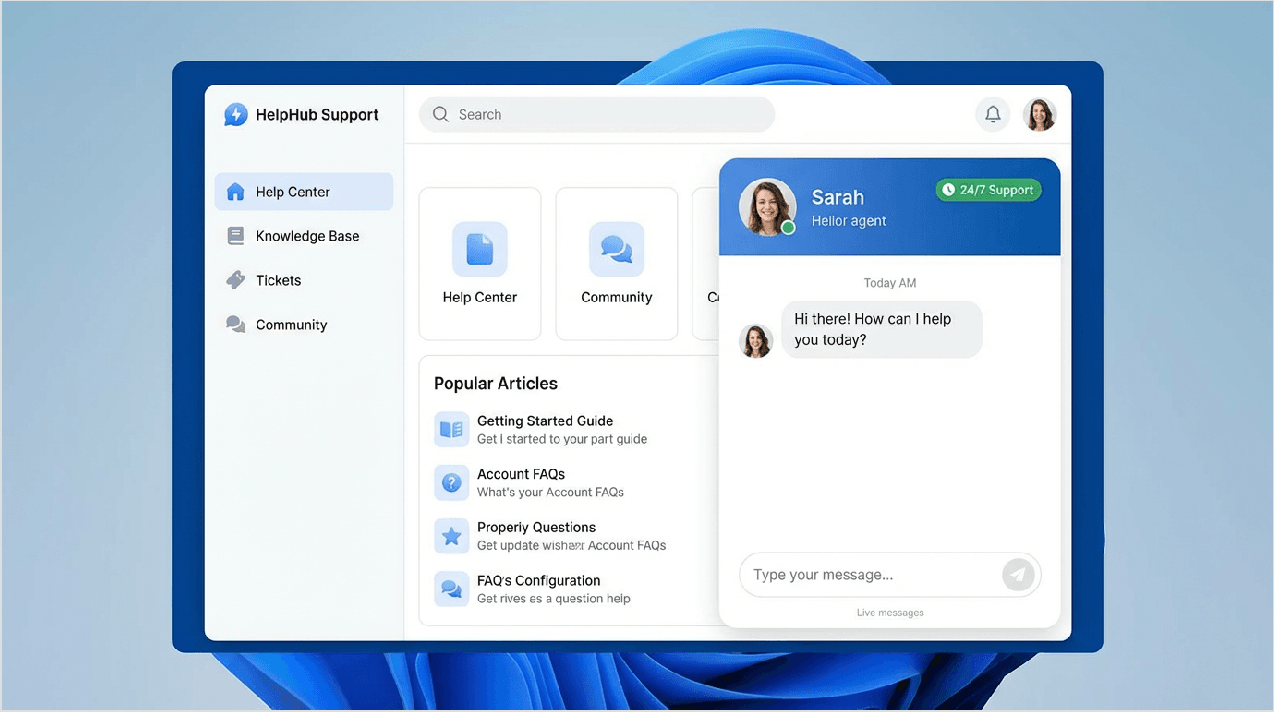
Bluehost offers 24/7 customer support. This means you can get help at 3 AM or 3 PM, any day of the year. The main way to get help is through Live Chat.
We tested the chat several times. On average, we connected to an agent in less than 2 minutes. The agents were friendly and answered our basic questions quickly.
They also offer Phone Support, but it depends on your plan. The Choice Plus and Pro plans have better access to phone support.If you are on the Basic plan, chat is your best option.
They also have a huge library of articles and tutorials called a "Knowledge Base." You can find step-by-step guides for almost any problem there.
Pros and Cons
Every company has good points and bad points. Here is our honest summary of what we liked and what we didn't like about Bluehost.
SERVICE PROS & CONS ANALYSIS
ADVANTAGES
WordPress Integration: Seamless setup & management.
24/7 Support: Round-the-clock expert assistance.
Free SSL: Essential security for every site.
AI Tools: Smart features for optimization & growth.
DISADVANTAGES
Renewal Pricing: Higher costs upon contract renewal.
Upsells: Frequent offers for additional services & features.
Customer Reviews and Ratings
It is not just our opinion that matters. We looked at what real users are saying on major review sites.
- Trustpilot: Bluehost has a score of 4.6 out of 5 stars.
- G2: They also hold a 4.6 out of 5 rating here.
With over 27,000 reviews, these scores are impressive. Most positive reviews highlight the ease is getting started and the helpfulness of the chat support is.
The negative reviews usually complain about the higher renewal prices or technical issues with very complex websites. However, the vast majority of users seem very satisfied.
Bluehost vs Competitors
How does Bluehost compare to other popular hosting companies? We compared it against Hostinger, SiteGround, and GoDaddy.
|
Feature |
Bluehost |
Hostinger |
SiteGround |
|
Starting Price |
$2.95/mo |
$2.99/mo |
$2.99/mo |
|
Ease of Use |
Excellent (Best for Beginners) |
Good |
Good |
|
Speed |
Very Fast (0.44s) |
Fast |
Very Fast |
|
Support |
24/7 Chat & Phone |
24/7 Chat only |
24/7 Chat & Phone |
|
Free Domain |
✅ Yes |
✅ Yes |
❌ No |
Bluehost vs Hostinger: Hostinger is very similar in price, but Bluehost offers a slightly better experience for absolute beginners with their WonderSuite tools.
Bluehost vs SiteGround: SiteGround is faster but much more expensive. Bluehost offers better value for money for most personal and small business sites.
Who Should Use Bluehost?
After all our testing, we believe Bluehost is perfect for a few specific groups of people:
- Beginners: If you are building your first website, Bluehost is the best choice.Their interface is simple, and the AI tools do the hard work for you.
- WordPress Users: Since they are officially recommended by WordPress, everything works seamlessly.
- Bloggers: It is affordable and reliable, perfect for starting a blog.
- Small Business Owners: You can get a professional site up quickly with the free domain and email options.
- Online Stores: The "Online Store" plan comes with WooCommerce installed, making it easy to sell products.
Final Verdict and Recommendation
So, is Bluehost worth it in 2026? Yes, absolutely.
We give Bluehost an overall rating of 4.6 out of 5 stars. They combine affordable pricing, excellent speed, and beginner-friendly tools into one package. It is rare to find a host that is this easy to use but still performs so well.
While the renewal prices are higher, the value you get in your first few years is unbeatable. You get a free domain, fast storage, and AI tools that save you money on hiring a designer. For anyone starting a new website today, Bluehost is our top recommendation.
Ready to get started?
Visit the HostGator official website and claim your special discount today. With a 30-day money-back guarantee, you can try it risk-free.
Get Started with HostGator NowFAQ Section
- Is Bluehost good for beginners?
Yes, it is excellent for beginners. The dashboard is simple, and the WonderSuite AI tools help you build a site without needing to know any code.
- What is the cheapest Bluehost plan?
The Basic plan is the cheapest, starting at $2.95 per month for the introductory term.
- Does Bluehost offer a free domain?
Yes, most plans include a free domain name registration for the first year. You just have to pay the renewal fee after the first year.
- Can I get a refund?
Yes, Bluehost offers a 30-day money-back guarantee on their hosting plans.
- Is Bluehost fast?
Yes, in our tests, Bluehost loaded in 0.44 seconds in the US, which is very fast.
- Does Bluehost work with WordPress?
Yes, it is officially recommended by WordPress.org and comes with WordPress pre-installed.
- What is WonderSuite?
WonderSuite is Bluehost's set of AI tools that help you design and write content for your website automatically.
- Is customer support 24/7?
Yes, you can access customer support via live chat 24 hours a day, 7 days a week.
- How many websites can I host?
The Basic plan allows 1 website. The Choice Plus, Online Store, and Pro plans allow significantly more (up to 50 or 100 depending on the specific plan terms at the time).
- What happens at renewal?
When your initial term (12 or 36 months) ends, your plan will renew at the regular rate, which is higher than the introductory discount price.
 Contacts