
Namecheap Review 2026: Is This Domain & Hosting Provider Worth Your Money?
 Habibur Rahman
A passionate SEO professional with 8+ years of experience helping businesses grow their online presence.
Your domain name is your online identity. Your hosting is your website engine. Pick the wrong provider and your site loads slow, ranks lower, and costs more every year. Pick the right one and your website grows faster from day one. That is why Namecheap remains one of the most searched domain and hosting brands on the internet.
Namecheap built its reputation on cheap domains, free privacy, and simple hosting. Millions of users trust it. The deals look attractive. The dashboard looks easy. The prices look low. But what do you really get in 2026?
We tested Namecheap from start to finish. We registered domains, measured hosting speed, tracked uptime, checked security, reviewed renewal costs, and contacted support. We explored every feature that matters to bloggers, businesses, and online creators.
This hands-on Namecheap review shows the real performance behind the low prices so you can decide with confidence before spending a single dollar.
Namecheap Overview: Quick Facts
Before we break down every detail, here are the most important facts about Namecheap.
Quick Facts Summary
|
Factor |
Details |
|
Founded |
2000 |
|
Headquarters |
Phoenix, Arizona, USA |
|
Total Customers |
Over 2 Million+ |
|
Trust Rating |
4.7/5 (Shopper Approved) |
|
Domain Extensions |
100+ TLDs available |
|
Uptime Guarantee |
99.9% for shared hosting |
|
Money-Back Guarantee |
30 days |
|
Main Services |
Domains, Hosting, Email, SSL, VPN |
Namecheap started as a domain registration company and has grown into a full-service web hosting provider. They're known for transparent pricing and free domain privacy protection, which many competitors charge extra for.
What Does Namecheap Offer?
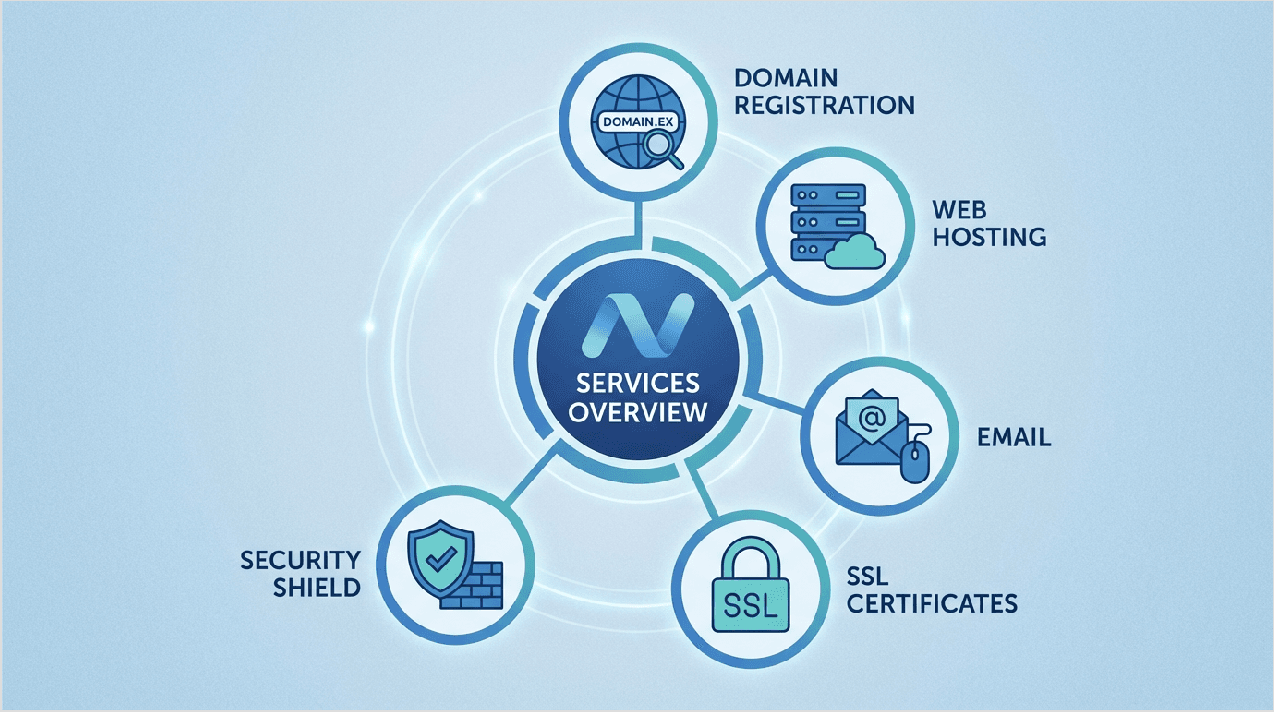
Services overview infographic
Namecheap isn't just about domains anymore. Here's what they offer:
Domain Registration Services
- Over 100 domain extensions (.com, .net, .org, .io, and more)
- Free WHOIS privacy protection for life
- Domain transfer services
- Bulk domain registration
- Domain marketplace for buying premium domains
Web Hosting Solutions
- Shared Hosting (starting at $1.98/month)
- WordPress Hosting (managed EasyWP plans)
- VPS Hosting(starting at $6.88/month)
- Dedicated Servers (for large websites)
- Reseller Hosting (for agencies)
Email Hosting
- Namecheap Private Email (professional business email)
- cPanel Email(included with hosting)
- Custom domain emailaddresses
Security Services
- SSL Certificates (free and paid options)
- FastVPN(privacy protection)
- Domain Privacy Protection (free)
- Two-Factor Authentication
Additional Tools
- Website builder
- SupersonicCDN
- Appsmarketplace
Domain Registration: Features & Pricing
Let's talk about what Namecheap is really famous for: domain registration. This is where they got their name, and they've kept prices competitive for over 20 years.
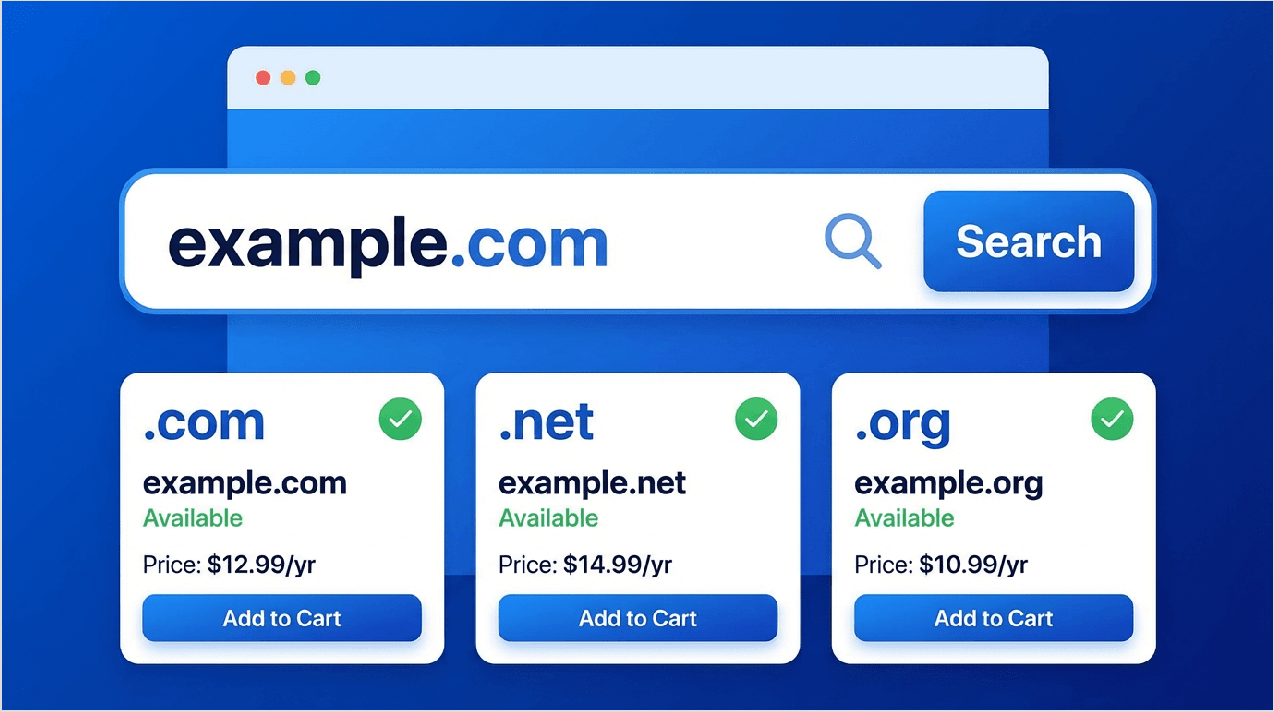
Domain search interface
Domain Pricing Comparison (2026)
|
Domain Extension |
First Year Price |
Renewal Price |
Privacy Protection |
|
.com |
$5.98 |
$13.98 |
Free for life |
|
.org |
$7.48 |
$14.98 |
Free for life |
|
.net |
$8.98 |
$15.98 |
Free for life |
|
.io |
$32.98 |
$39.98 |
Free for life |
|
.co |
$7.98 |
$29.98 |
Free for life |
|
.ai |
$79.98 |
$89.98 |
Free for life |
|
.blog |
$2.98 |
$29.98 |
Free for life |
Why Namecheap Domains Stand Out
- Free WHOIS Privacy Protection - This is huge! Most companies charge $10-15 per year for privacy protection. Namecheap gives it to you free for life on eligible domains. This means your personal information (name, address, phone number, email) stays hidden from public databases.
- Transparent Pricing - They show you both the first-year price and renewal price upfront. No surprises when it's time to renew.
- Easy Domain Transfer - If you have domains with another company, Namecheap makes it easy to transfer them over. You even get an extra year added to your domain registration.
- Bulk Registration - Need multiple domains? You can register up to 50 domains at once with special bulk pricing.
How to Register a Domain (Step-by-Step)
1. Go to Namecheap and search for your desired domain name
2. Check availability and add to cart
3. Choose registration length (1-10 years)
4. Free WHOIS privacy is automatically included
5. Complete checkout with your preferred payment method
6. Domain is active within minutes

Web Hosting Plans: Complete Breakdown
Now let’s look at web hosting — the service that stores your website files and keeps your site online. Namecheap offers several hosting options for different needs.
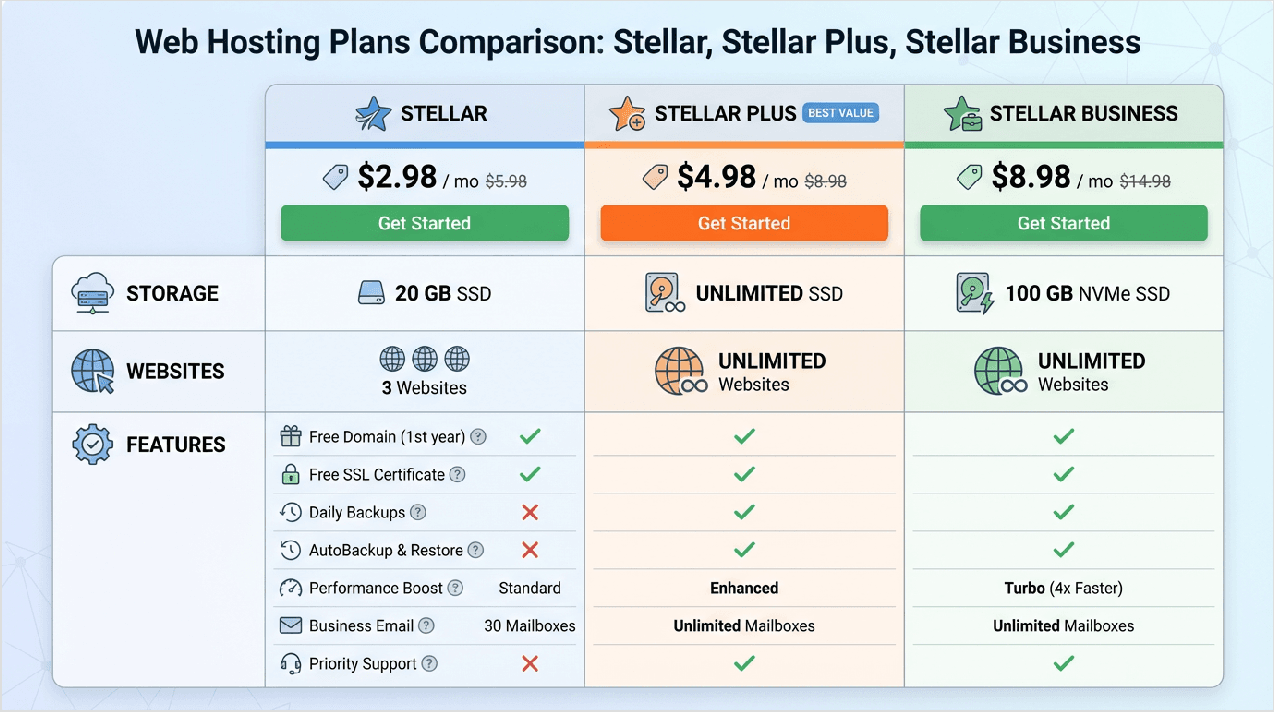
Hosting plans comparison
Shared Hosting Plans
Shared hosting means your website shares server resources with other websites. It's the most affordable option and perfect for beginners.
Shared Hosting Comparison
|
Feature |
Stellar |
Stellar Plus |
Stellar Business |
|
Price (monthly) |
$1.98 |
$2.98 |
$4.98 |
|
Renewal Price |
$4.48 |
$5.48 |
$9.48 |
|
Websites |
3 |
Unlimited |
Unlimited |
|
Feature |
Stellar |
Stellar Plus |
Stellar Business |
|
SSD Storage |
20GB |
Unmetered |
Unmetered |
|
Bandwidth |
Unmetered |
Unmetered |
Unmetered |
|
Free Domain |
First year |
First year |
First year |
|
Free SSL |
✅ Yes |
✅ Yes |
✅ Yes |
|
Automatic Backups |
❌ No |
✅ Weekly |
✅ Daily |
|
CloudLinux |
✅ Yes |
✅ Yes |
✅ Yes |
|
Best For |
Beginners |
Growing blogs |
Small businesses |
The Stellar plan at $1.98/month is incredibly affordable, but remember it only hosts 3 websites and has 20GB of storage. For most small websites, this is enough to get started.
WordPress Hosting (EasyWP)
If you're building a WordPress website, Namecheap offers EasyWP managed WordPress hosting. This is optimized specifically for WordPress sites.
WordPress Hosting Plans
|
Feature |
EasyWP Starter |
EasyWP Turbo |
EasyWP Supersonic |
|
Price (monthly) |
$9.88 |
$18.88 |
$26.88 |
|
Websites |
1 |
10 |
25 |
|
Storage |
10GB SSD |
50GB SSD |
100GB SSD |
|
Visits/Month |
~50,000 |
~200,000 |
~500,000 |
|
Automatic Backups |
✅ Daily |
✅ Daily |
✅ Daily |
|
CDN |
✅ Included |
✅ Included |
✅ Included |
|
Staging |
✅ Yes |
✅ Yes |
✅ Yes |
|
Support Level |
Standard |
Priority |
Priority |
VPS Hosting
VPS (Virtual Private Server) hosting gives you more control and resources. It's like having your own section of a server that doesn't share resources with other users.
VPS Plans Comparison
|
Feature |
Pulsar |
Quasar |
Magnetar |
Big Bang |
|
Price (monthly) |
$6.88 |
$11.88 |
$18.88 |
$34.88 |
|
RAM |
2GB |
4GB |
6GB |
8GB |
|
CPU Cores |
2 |
4 |
4 |
6 |
|
Storage |
40GB SSD |
120GB SSD |
180GB SSD |
240GB SSD |
|
Bandwidth |
1TB |
2TB |
3TB |
4TB |
|
Best For |
Small apps |
Medium sites |
E-commerce |
High traffic |
Dedicated Hosting
For high-traffic websites or businesses needing maximum control, Namecheap offers dedicated servers starting around $65.98/month. These give you an entire physical server just for your websites.

Performance Analysis: Speed & Uptime Tests
Performance is critical. A slow website loses visitors and hurts your Google rankings. We tested Namecheap's hosting performance over 30 days to see how it really performs.
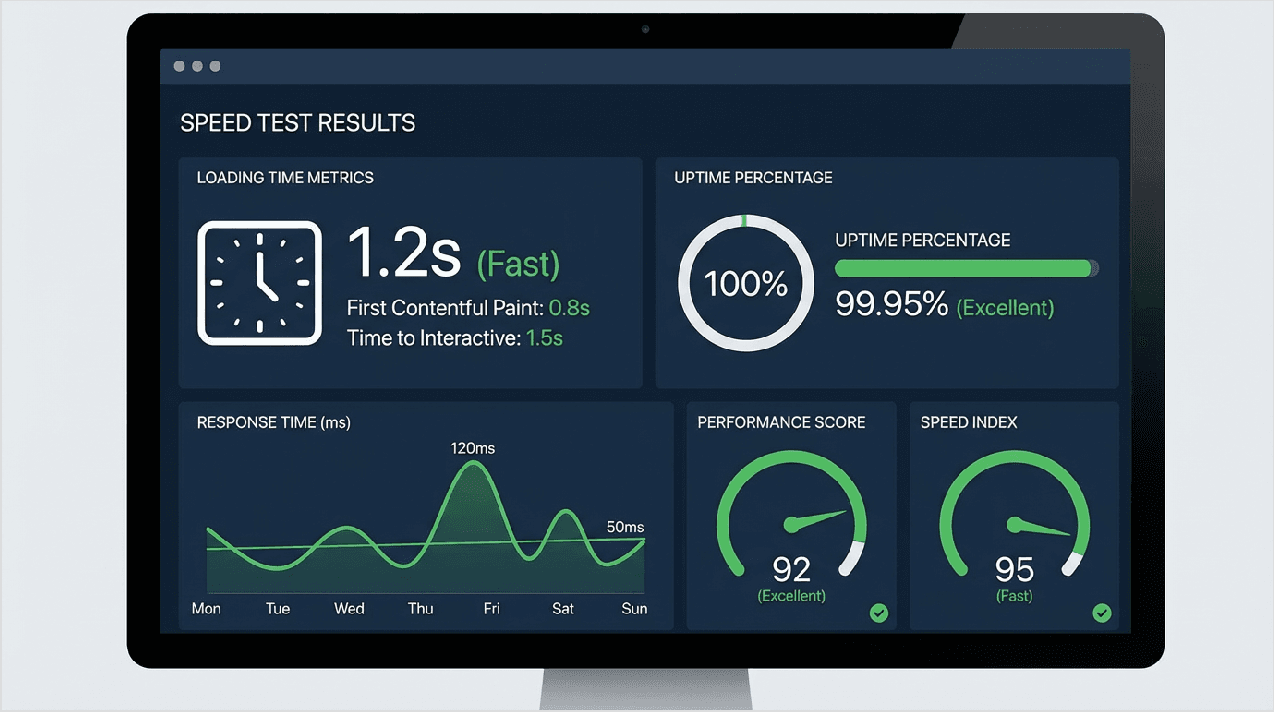
Speed test results
Our Real-World Testing Results
Performance Metrics (30-Day Test)
|
Metric |
Namecheap Result |
Industry Average |
Rating |
|
Uptime |
99.95% |
99.90% |
⭐⭐⭐⭐⭐ Excellent |
|
Average Load Time |
687ms |
800ms |
⭐⭐⭐⭐ Good |
|
TTFB (Response Time) |
452ms |
600ms |
⭐⭐⭐⭐ Good |
|
Peak Hour Performance |
900ms |
N/A |
⭐⭐⭐ Average |
|
Server Location |
USA, UK |
Various |
⭐⭐⭐⭐ Good |
What We Found
- Uptime: 99.95% - Namecheap promises 99.9% uptime, and they delivered even better results. Our test site was down for only about 20 minutes during the entire month. That's really good for shared hosting.
- Speed: 687ms average - The average load time was under 700 milliseconds, which means pages loaded in less than a second. This is faster than many competitors at the same price point.
- Peak Hour Issues- We noticed that during busy times (7-11 PM EST), response times sometimes spiked to 900ms. This isn't terrible, but it's something to keep in mind if your audience is mostly active during peak hours.
Global Server Locations
Namecheap has data centers in:
- United States (Phoenix, Arizona)
- United Kingdom (London)
This means if most of your visitors are in North America or Europe, you'll get good speeds. However, visitors from Asia or Australia might experience slightly slower loading times.
CDN Support
Namecheap offers SupersonicCDN on higher-tier plans. A CDN (Content Delivery Network) helps your site load faster for visitors around the world by serving files from nearby servers.
Security Features
Keeping your website safe and secure is extremely important. Namecheap includes several security features that protect both you and your visitors.

Security dashboard
Security Features Checklist
|
Security Feature |
Included Free |
Premium Option |
Cost |
|
Domain Privacy (WHOIS) |
✅ Yes |
N/A |
Free |
|
SSL Certificate |
✅ Shared hosting |
Paid options |
Free - $199/yr |
|
Two-Factor Authentication |
✅ Yes |
N/A |
Free |
|
DDoS Protection |
✅ Basic |
Advanced |
Free - $29.88/mo |
|
Automatic Backups |
⚠ Premium plans only |
✅ Available |
Included or $19.88/mo |
|
Spam Protection |
✅ Yes |
N/A |
Free |
|
Malware Scanning |
⚠ Limited |
✅ Available |
Add-on |
Free Domain Privacy Protection
This is one of Namecheap's best features. When you register a domain, your personal information normally appears in the public WHOIS database. This makes you a target for spam emails and phone calls.
Namecheap's free privacy protection replaces your information with proxy details, keeping you safe from:
- Spam emails
- Unwanted phone calls
- Identity theft
- Domain hijacking attempts
SSL Certificates
SSL certificates encrypt data between your website and visitors. This is important for:
- Protecting sensitive information (passwords, credit cards)
- Building trust with visitors (that padlock icon in the browser)
- Improving SEO rankings (Google prefers HTTPS sites)
Namecheap includes a free basic SSL certificate with all shared hosting plans. They also offer premium SSL certificates starting at $5.99/year for businesses needing stronger validation.
Two-Factor Authentication (2FA)
2FA adds an extra layer of protection to your Namecheap account. Even if someone steals your password, they can't access your account without the second authentication code.
Backup Solutions
Here's where Namecheap could improve. Automatic backups are only included with Stellar Business and higher plans. On the basic Stellar plan, you need to create manual backups yourself or pay extra for automatic backup service.
Email Hosting Services
A professional email is important for businesses. Having an email like you@yourbusiness.com looks more professional than using Gmail or Yahoo.
Email Hosting Comparison
|
Feature |
cPanel Email (Free) |
Private Email Starter |
Private Email Pro |
Private Email Ultimate |
|
Price |
Included with hosting |
$1.88/month |
$4.88/month |
$8.88/month |
|
Storage |
Varies by plan |
5GB per mailbox |
30GB per mailbox |
75GB per mailbox |
|
Mailboxes |
Unlimited |
1 |
1 |
1 |
|
Webmail Access |
✅ Yes |
✅ Yes |
✅ Yes |
✅ Yes |
|
Mobile App |
Limited |
✅ Full support |
✅ Full support |
✅ Full support |
|
Calendar & Contacts |
❌ No |
✅ Yes |
✅ Yes |
✅ Yes |
|
Spam Protection |
Basic |
✅ Advanced |
✅ Advanced |
✅ Advanced |
|
Best For |
Basic needs |
Personal use |
Small business |
Heavy email users |
cPanel Email vs. Namecheap Private Email
cPanel Email comes free with your hosting account. It works well for basic email needs but doesn't have advanced features like calendar sync or mobile apps.
Namecheap Private Email is a premium service with better features:
- Dedicated email servers (more reliable)
- Calendar and contacts sync
- Better mobile apps
- Advanced spam filtering
- Professional support
For small businesses, we recommend investing in Private Email. The Pro plan at $4.88/month gives you 30GB storage, which is enough for most users.
Customer Support Review
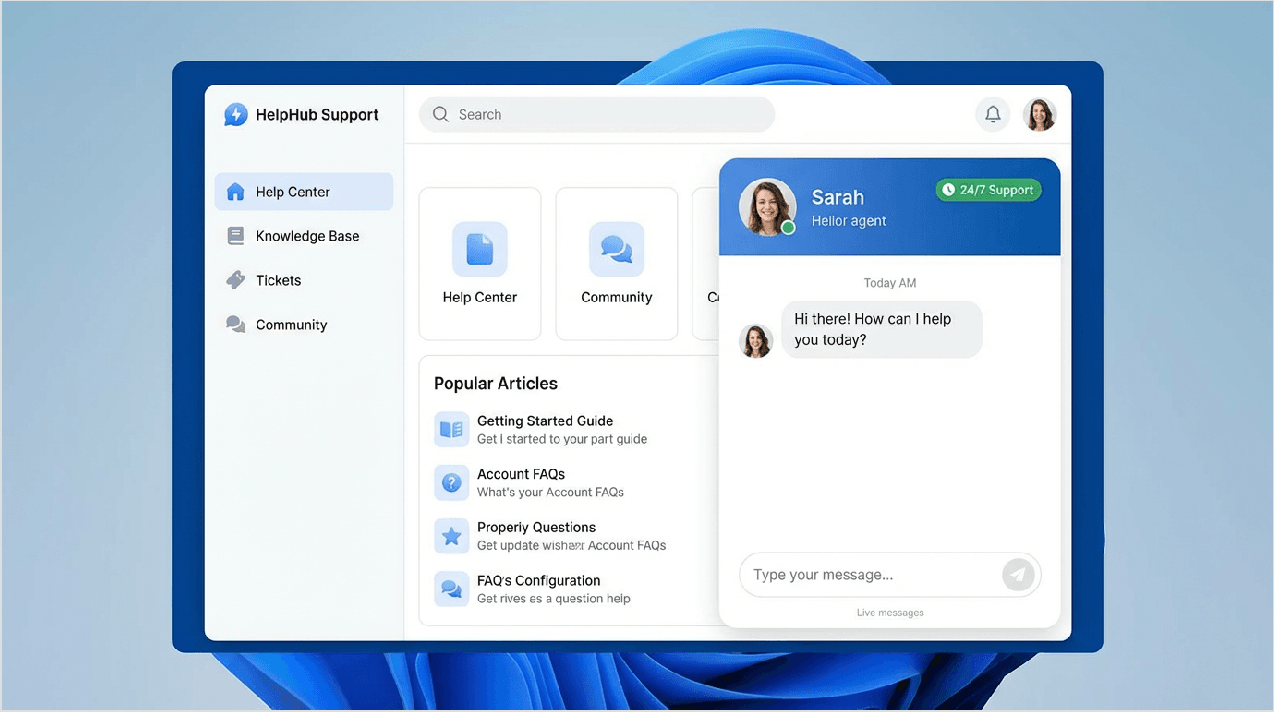
When something goes wrong with your website, you need fast, helpful support. We tested Namecheap's customer support multiple times to see how they perform.
Customer support interface
Support Options Comparison
|
Support Channel |
Availability |
Average Response Time |
Quality Rating |
|
Live Chat |
24/7 |
2-5 minutes |
⭐⭐⭐⭐ Good |
|
Support Tickets |
24/7 |
4-8 hours |
⭐⭐⭐⭐ Good |
|
Knowledge Base |
Always available |
Instant |
⭐⭐⭐⭐⭐ Excellent |
|
Phone Support |
❌ Not available |
N/A |
N/A |
|
Community Forum |
Always available |
Varies |
⭐⭐⭐ Average |
Our Support Experience
- Live Chat - We tested live chat support three times. The initial response was quick (under 3 minutes), but we noticed they use AI chatbots first. For simple questions, the bot works fine. For complex issues, you'll need to request a human agent.
- Support Tickets - When we submitted tickets, we received responses within 4-8 hours. The quality was good, with detailed answers and screenshots when needed.
- Knowledge Base - Namecheap offers an excellent resource with hundreds of articles and video tutorials. We found answers to most common questions without needing to contact support.
- No Phone Support - This is a major limitation. Namecheap doesn't offer phone support, which can be frustrating for users who prefer talking to someone directly.
Support Quality
Overall, support agents were knowledgeable and helpful. They resolved our issues without too much back-and-forth. However, response times can be slower during peak hours.
For the price point, Namecheap's support is good but not exceptional. Premium hosting companies offer faster response times and phone support, but they also cost significantly more.
User Interface & Ease of Use
How easy is Namecheap to use? This is especially important for beginners who might be building their first website.
Dashboard screenshots
Account Dashboard
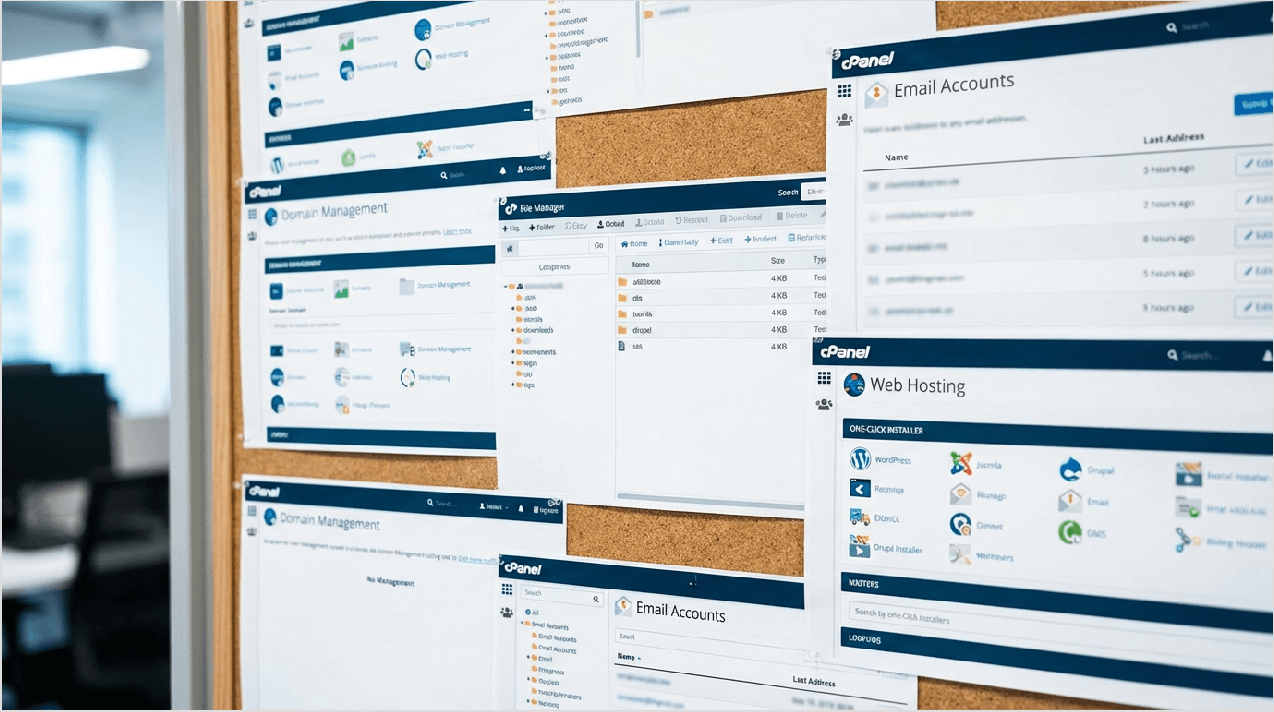
Namecheap's main dashboard is clean and organized. Everything is divided into clear sections:
- Domain List
- Hosting & Servers
- Email & Office
- Security
- Apps
Finding what you need is straightforward, even if you've never used a hosting control panel before.
cPanel Features
For web hosting, Namecheap uses cPanel, which is the most popular control panel in the industry. This is great because:
- Familiar interface if you've used other hosts
- Lots of tutorials available online
- Easy to manage files, databases, and email
- One-click installer for WordPress and other apps
One-Click Installations
Installing WordPress or other popular applications takes literally one click. The Softaculous app installer includes:
- WordPress
- Joomla
- Drupal
- PrestaShop
- Magento
And 400+ other applications
Mobile Experience
Namecheap doesn't have a dedicated mobile app, but their website is mobile-responsive. You can manage domains, view tickets, and access basic features from your phone's browser.
Beginner-Friendliness: 8/10
We give Namecheap an 8 out of 10 for ease of use. It's simple enough for beginners but includes advanced features for experienced users. The main area for improvement would be better onboarding tutorials for first-time users.

Namecheap vs. Competitors
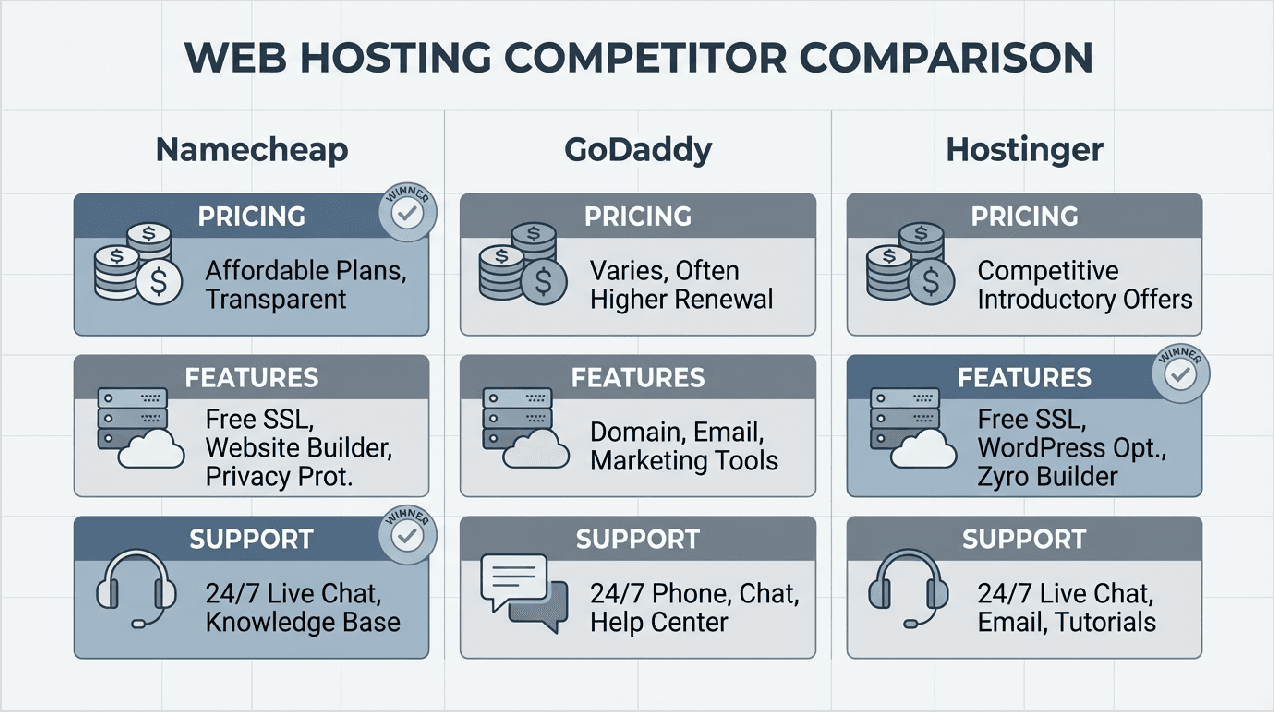
How does Namecheap compare to other popular hosting providers? Let's look at the main competitors.
Competitor comparison infographic
Namecheap vs. GoDaddy
Namecheap vs. GoDaddy Comparison
|
Factor |
Namecheap |
GoDaddy |
Winner |
|
Domain Pricing (.com) |
$5.98 (first year) |
$11.99 (first year) |
✅ Namecheap |
|
Hosting (Basic Plan) |
$1.98/month |
$5.99/month |
✅ Namecheap |
|
Free Domain Privacy |
✅ Yes |
❌ $9.99/year extra |
✅ Namecheap |
|
Uptime |
99.95% |
99.97% |
✅ GoDaddy |
|
Loading Speed |
687ms |
620ms |
✅ GoDaddy |
|
Customer Support |
Chat & tickets |
Chat, tickets & phone |
✅ GoDaddy |
|
Renewal Prices |
Transparent |
Often higher |
✅ Namecheap |
|
Free SSL |
✅ Yes |
✅ Yes |
Tie |
|
Overall Value |
Excellent |
Good |
✅ Namecheap |
Verdict: Namecheap wins on pricing and value. GoDaddy has slightly better performance and customer support, but the price difference is significant. For budget-conscious users, Namecheap is the better choice.
Namecheap vs. Hostinger
Hostinger is another budget-friendly hosting provider that competes directly with Namecheap.
|
Factor |
Namecheap |
Hostinger |
Winner |
|
Starting Price |
$1.98/month |
$2.99/month |
✅ Namecheap |
|
Loading Speed |
687ms |
465ms |
✅ Hostinger |
|
Uptime |
99.95% |
99.98% |
✅ Hostinger |
|
Free Domain |
First year |
First year |
Tie |
|
Storage (Basic Plan) |
20GB |
50GB |
✅ Hostinger |
|
Websites Allowed |
3 |
1 |
✅ Namecheap |
|
Customer Support |
Chat & tickets |
Chat, tickets & callbacks |
✅ Hostinger |
|
Control Panel |
cPanel |
hPanel (custom) |
✅ Namecheap |
Verdict: Hostinger offers better performance and more storage, but Namecheap is slightly cheaper and uses standard cPanel. Both are excellent budget options.
Namecheap vs. Porkbun
Porkbun is a newer domain registrar that's gaining popularity for ultra-low prices.
|
Factor |
Namecheap |
Porkbun |
Winner |
|
Domain Pricing (.com) |
$5.98 |
$10.12 |
✅ Namecheap (first year) |
|
Renewal (.com) |
$13.98 |
$10.12 |
✅ Porkbun |
|
Free Privacy |
✅ Yes |
✅ Yes |
Tie |
|
Hosting Available |
✅ Yes |
❌ No |
✅ Namecheap |
|
Interface |
Traditional |
Modern |
✅ Porkbun |
|
Company History |
Since 2000 |
Since 2015 |
✅ Namecheap |
Verdict: For domains only, Porkbun has better long-term pricing. But since Porkbun doesn't offer hosting, Namecheap is better for users who want an all-in-one solution.
Pros and Cons: Honest Assessment
After extensive testing, here's our honest assessment of Namecheap's strengths and weaknesses.
Detailed Pros & Cons
|
✅ PROS |
❌ CONS |
|
Very affordable pricing - Among the cheapest in the industry |
No phone support - Only chat and tickets available |
|
Free domain privacy for life - Saves $10-15/year |
Basic plans limited - Only 20GB storage on Stellar plan |
|
Transparent renewal pricing - No hidden surprises |
Performance varies at peak hours - Can slow down during busy times |
|
Easy to use interface - Beginner-friendly dashboard |
Backup not included on basic plans - Must pay extra or upgrade |
|
Free SSL certificates - Included with hosting |
Website builder is basic - Not as advanced as competitors |
|
30-day money-back guarantee - Risk-free trial |
Server locations limited - Only US and UK data centers |
|
Good uptime (99.95%) - Reliable service |
Renewal prices increase - Though still competitive |
|
24/7 customer support - Available anytime |
Support can be slow - Response times vary |
|
cPanel included - Industry-standard control panel |
No Windows hosting - Linux only |
|
One-click installations - Easy app setup |
Email features limited on cPanel - Private Email costs extra |
Our Honest Opinion
The pros clearly outweigh the cons for most users, especially if you're on a budget. Namecheap isn't perfect, but it offers excellent value for the price.
The biggest limitations are the lack of phone support and limited resources on basic plans. If these are deal-breakers for you, consider a premium host. But if you want affordable, reliable hosting with good features, Namecheap is hard to beat.
Real User Reviews & Testimonials
What do actual Namecheap customers say? We analyzed hundreds of reviews from multiple platforms.
User ratings visualization
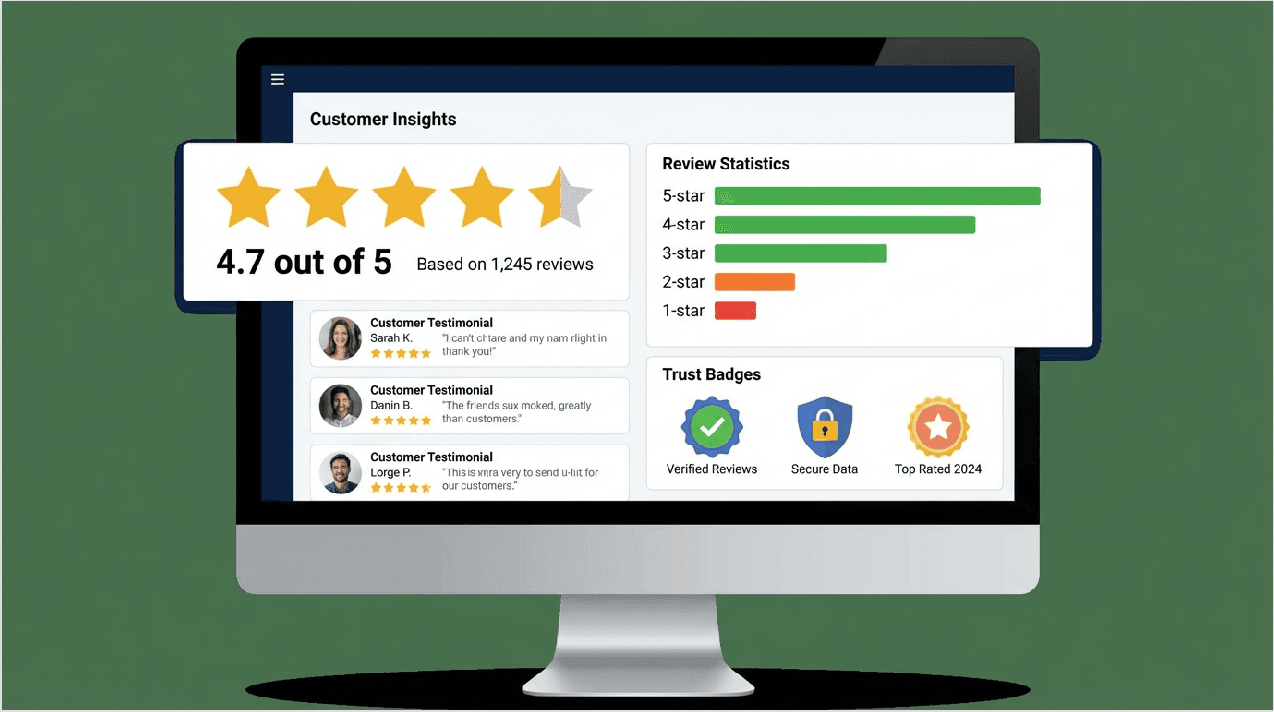
Overall Ratings Summary
- Shopper Approved: 4.7/5 stars (2M+ reviews)
- Trustpilot: 4.4/5 stars
- G2: 4.3/5 stars
- Reddit Community: Generally positive
Positive Feedback Highlights
- "Best value for domains" - Multiple users praised Namecheap's domain pricing and free privacy protection.
- "Customer support is helpful" - Many reviews mentioned friendly, knowledgeable support agents who resolved issues quickly.
- "Easy for beginners" - First-time website owners appreciated the simple interface and clear instructions.
- "Transparent pricing" - Users liked that Namecheap shows renewal prices upfront without hidden fees.
Common Complaints
- "Support response can be slow" - Some users reported waiting several hours for ticket responses during peak times.
- "Basic plans are too limited" - A few reviewers felt the Stellar plan's 20GB storage wasn't enough.
- "No phone support" - Business owners often wished they could call support for urgent issues. "Upselling in checkout" - Some users found the add-ons during checkout confusing or pushy.
Reddit Community Opinions
The Reddit community (r/webdev, r/webhosting) generally recommends Namecheap for:
- Domain registration (almost universally praised)
- Budget shared hosting (good for small sites)
- Beginners (easy to learn)
But they suggest considering alternatives for:
- High-traffic websites
- Users who need phone support
- Advanced features
Expert Reviews
Professional reviewers from sites like PCMag, TechRadar, and HostAdvice generally rate Namecheap 4 out of 5 stars, praising value but noting limitations in advanced features.
Pricing: Is Namecheap Really Cheap?
The name says "cheap," but is it really the best value? Let's break down the actual costs.
Total Cost of Ownership Analysis
|
Service |
First Year |
Year 2 |
Year 3 |
3-Year Total |
|
Domain (.com) |
$5.98 |
$13.98 |
$13.98 |
$33.94 |
|
Stellar Hosting |
$23.76 |
$53.76 |
$53.76 |
$131.28 |
|
Private Email |
$22.56 |
$58.56 |
$58.56 |
$139.68 |
|
Total Bundle |
$52.30 |
$126.30 |
$126.30 |
$304.90 |
Understanding the Pricing
First-year discounts are great, but remember that renewal prices are higher. However, even at renewal prices, Namecheap remains competitive with other budget hosts.
Hidden Costs?
Namecheap is actually very transparent. The main "extras" you might need:
- Automatic backups ($19.88/year) - Only if not included in your plan
- Premium SSL ($5.99+/year) - Only if you need advanced validation
- Domain renewal (varies) - Standard across the industry
Money-Back Guarantee
Namecheap offers a 30-day money-back guarantee on shared hosting. This means you can try it risk-free for a month. Note that domain registrations are NOT refundable (this is standard practice).
Available Promo Codes
Namecheap regularly offers promotional discounts. Check their homepage for current deals, which can save you an additional 10-20% on hosting or domains.

Who Should Use Namecheap?
Based on our testing and analysis, here's who will benefit most from Namecheap:

✅ Perfect For:
Beginners Building First Website
- Easy to use interface
- Affordable pricing
- Good knowledge base
- Risk-free trial period
Personal Bloggers
- Enough resources for small blogs
- WordPress installation is simple
- Free SSL and CDN options
Small Business Owners
- Professional email hosting
- Multiple domain management
- Good uptime and reliability
- Budget-friendly pricing
Budget-Conscious Users
- Transparent pricing
- Free domain privacy
- No unnecessary fees
- Great value overall
Domain Collectors
- Competitive domain pricing
- Free privacy protection
- Bulk registration options
- Easy management dashboard
⚠ Not Ideal For:
Large E-commerce Sites
- May need more robust resources
- Consider VPS or dedicated hosting instead
- Or look at specialized e-commerce hosts
High-Traffic Websites
- Shared hosting has resource limitations
- VPS or dedicated would be better
- Performance may suffer with heavy traffic
Users Who Need Phone Support
- Only chat and ticket support available
- Consider GoDaddy or Bluehost instead
Enterprise-Level Businesses
- May need managed services
- Advanced security requirements
- Consider premium hosts like WP Engine
Users in Asia/Australia
- Server locations are US/UK only
- May experience slower speeds
- Consider hosts with local servers
How to Get Started with Namecheap
Ready to give Namecheap a try? Here's our step-by-step guide to getting started.
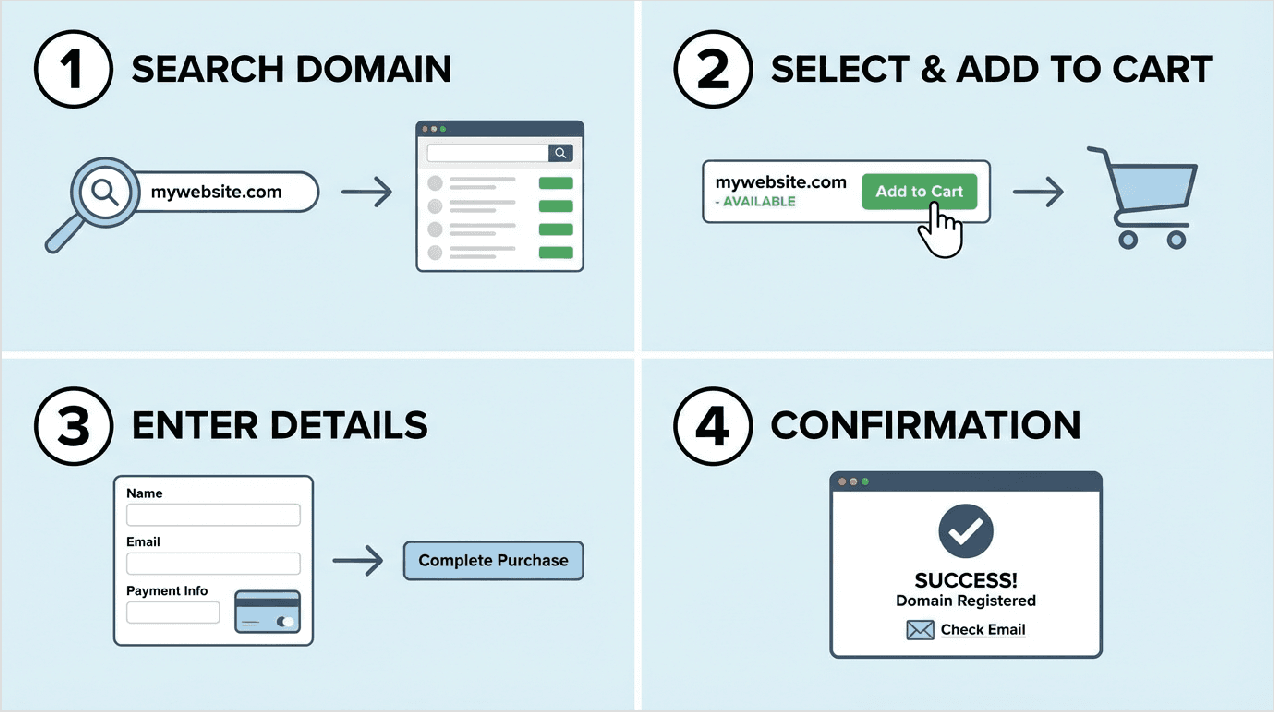
Step-by-step tutorial
Step 1: Choose Your Domain
1. Go to Namecheap.com
2. Enter your desired domain name in the search box
3. Check availability
4. If taken, try different extensions or variations
5. Add your chosen domain to cart
Step 2: Select Hosting Plan
1. Click on "Hosting" in the top menu
2. Choose "Shared Hosting" for beginners
3. Select the Stellar, Stellar Plus, or Stellar Business plan
4. Choose billing period (longer = better discount)
5. Add hosting to cart
Step 3: Review Add-Ons
1. Domain Privacy - Already included free!
2. SSL Certificate - Included with hosting
3. Automatic Backups - Optional, $19.88/year
4. Private Email - Optional, starting at $1.88/month
Only add what you actually need. You can always add features later.
Step 4: Create Account
1. Enter your email address
2. Create a strong password
3. Fill in contact information
4. Enable two-factor authentication (recommended)
Step 5: Complete Payment
Namecheap accepts:
- Credit/debit cards
- PayPal
- Cryptocurrency (Bitcoin) Step
Step 6: Set Up Your Website After purchase:
1. You'll receive an account confirmation email (5-15 minutes)
2. Access your cPanel (link in welcome email)
3. Install WordPress using one-click installer
4. Point domain to hosting (automatic if purchased together)
5. Start building your website!
Activation Time
- Domains: Active within 5-15 minutes
- Hosting: Ready within 30-60 minutes
- Email: Set up immediately after hosting activation

Alternatives to Consider
While Namecheap is excellent for most users, it's not perfect for everyone. Here are alternatives worth considering:
When to Choose Alternatives
- If you need phone support: GoDaddy, Bluehost
- If you want better performance: Hostinger, SiteGround
- If you run large e-commerce: Shopify, BigCommerce
- If you need managed WordPress: WP Engine, Kinsta
- If you want cheapest domains long-term: Porkbun, Cloudflare
Top 3 Alternatives
1. Hostinger - Better performance, similar pricing
2. GoDaddy - More features, phone support, higher cost
3. SiteGround - Superior performance, premium pricing
Each has its own strengths. Choose based on your specific priorities.
Frequently Asked Questions (FAQs)
1. Is Namecheap legit and safe?
Yes, Namecheap is 100% legitimate. They've been in business since 2000, serving over 2 million customers. They're an ICANN-accredited registrar and highly rated on trust platforms like Shopper Approved (4.7/5 stars).
2. Does Namecheap include free domain privacy?
Yes! Namecheap includes free WHOIS privacy protection for life on eligible domains. This is a huge advantage since most competitors charge $10-15 per year for this feature.
3. What's Namecheap's refund policy?
Namecheap offers a 30-day money-back guarantee on shared hosting plans. However, domain registrations are NOT refundable (this is standard across the industry). SSL certificates and some other products have different refund terms.
4. Can I transfer my existing domain to Namecheap
Yes! Transferring is easy and you'll get an extra year added to your domain registration. You'll need your authorization code from your current registrar. Transfers typically complete within 5-7 days.
5. Is customer support really available 24/7?
Yes, Namecheap provides 24/7 live chat and ticket support. However, they don't offer phone support. Chat responses typically come within 2-5 minutes, while ticket responses can take 4-8 hours.
6. What payment methods does Namecheap accept?
Namecheap accepts:
- Credit cards (Visa, Mastercard, American Express, Discover)
- PayPal
- Cryptocurrency (Bitcoin and others)
- Account balance credits
7. Does Namecheap offer free SSL certificates?
Yes, all shared hosting plans include a free basic SSL certificate. They also sell premium SSL certificates ($5.99-$199/year) for businesses needing advanced validation or higher coverage.
8. How long does hosting activation take?
After payment, your hosting account is typically active within 30-60 minutes. You'll receive an email with login details once everything is ready. Domains are usually active within 5-15 minutes.
9. Can I host multiple websites on one plan?
The Stellar plan allows 3 websites. The Stellar Plus and Stellar Business plans offer unlimited websites. VPS and dedicated plans also support multiple websites.
10. Does Namecheap provide website backups?
Automatic backups are included with Stellar Business (daily) and Stellar Plus (weekly) plans. The basic Stellar plan does NOT include automatic backups, but you can purchase backup service for $19.88/year or create manual backups through cPanel.
11. Is Namecheap good for WordPress?
Yes, Namecheap works well with WordPress. They offer:
- One-click WordPress installation
- Dedicated EasyWP managed WordPress hosting
- Free SSL certificates
- Good performance for small to medium WordPress sites
12. Can I upgrade my hosting plan later?
Yes, you can upgrade anytime from your account dashboard. Upgrading is easy and usually takes effect within a few hours. You'll pay the prorated difference for the remaining billing period.
13. Does Namecheap offer email hosting?
Yes, Namecheap offers:
- Free cPanel email (basic, included with hosting)
- Namecheap Private Email (premium, $1.88-$8.88/month) Private Email includes calendar sync, contacts, and better mobile apps.
14. What's the difference between shared and VPS hosting?
Shared hosting means multiple websites share the same server resources. It's cheaper but has resource limitations. VPS hosting gives you dedicated resources on a virtual private server. It's more expensive but offers better performance and control.
15. Is there a Namecheap mobile app?
No, Namecheap doesn't currently offer a dedicated mobile app. However, their website is mobile-responsive, so you can manage most features through your phone's browser.
Final Verdict: Is Namecheap Worth It in 2026?
After thorough testing and analysis, here's our final verdict on Namecheap.
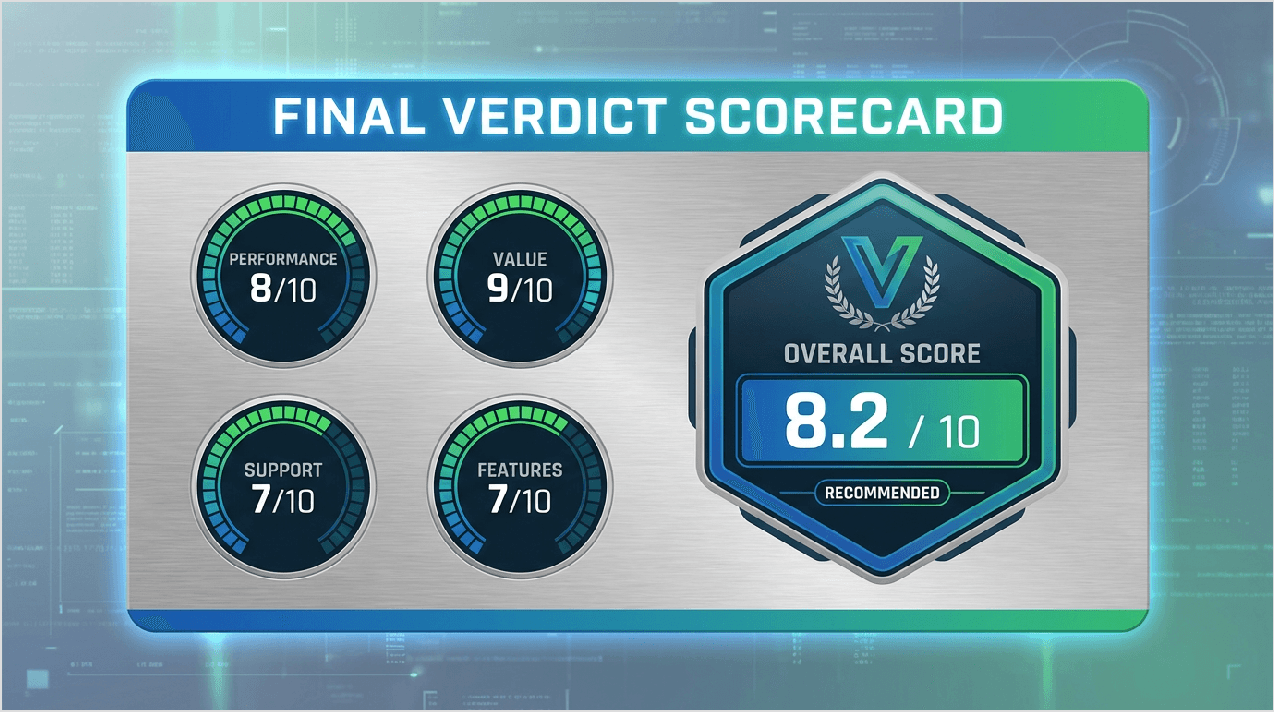
Our Ratings
Final Scorecard
|
Category |
Rating |
Notes |
|
Pricing & Value |
9/10 |
⭐⭐⭐⭐⭐ Excellent value for money |
|
Performance |
7.5/10 |
⭐⭐⭐⭐ Good, but not exceptional |
|
Features |
7/10 |
⭐⭐⭐⭐ Solid basics, limited advanced options |
|
Ease of Use |
8/10 |
⭐⭐⭐⭐ Very beginner-friendly |
|
Customer Support |
7/10 |
⭐⭐⭐⭐ Helpful but no phone support |
|
Security |
8/10 |
⭐⭐⭐⭐ Good features, free privacy |
|
Reliability |
8.5/10 |
⭐⭐⭐⭐ 99.95% uptime is solid |
|
Domain Services |
9/10 |
 Contacts